
Screenshots

App details
- Updated
- Aug 4, 2025
- Language
- English,Spanish
- Developer
- Argente Software
- Category
- Mobile
SoftPas in:
This product is also available in the following languages:
About Argente Utilities
Download Argente Utilities – PC optimization, system cleanup, registry cleaner, disk cleanup, privacy protection, system repair, free tools
Overview
Argente Utilities is a comprehensive suite of tools designed to enhance the performance, stability, and security of Windows-based systems. The application offers a centralized platform for managing common PC maintenance tasks, making it accessible to both novice users and experienced technicians. Its primary purpose is to streamline system optimization through automated processes and specialized utilities that address key pain points such as cluttered storage, registry bloat, privacy leaks, and system errors. By consolidating multiple functions into a single interface, Argente Utilities reduces the complexity of routine maintenance, allowing users to maintain peak system performance with minimal effort.
The target audience includes individuals seeking reliable, free tools to manage their personal computers without relying on third-party software with hidden costs or intrusive ads. This includes home users, students, remote workers, and IT professionals who need a lightweight, efficient solution for system upkeep. While the developer, Argente Software, is not known for a broad portfolio of public applications, the app’s focus on functionality and accessibility suggests a commitment to delivering practical value. Real-world use cases include preparing a computer for resale by securely wiping data, resolving slow performance after extended use, or maintaining privacy after browsing sensitive content. In the broader software ecosystem, Argente Utilities fills a niche for lightweight, no-cost system maintenance tools that prioritize user control and transparency.
Key Features & Functionality
- One Click Maintenance: This feature automates a series of system optimization tasks with a single action. It is ideal for users who lack technical expertise but still want their PC to run efficiently. By combining registry cleaning, disk cleanup, and performance tuning, it delivers noticeable improvements without requiring manual configuration.
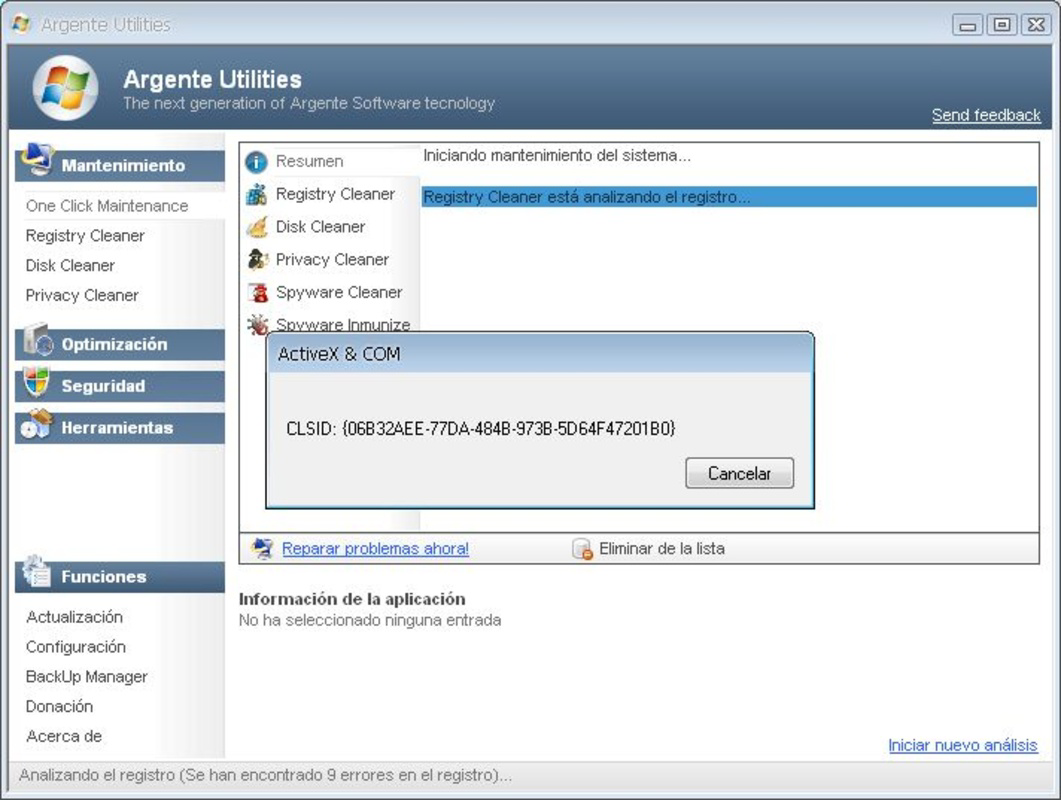
- Registry Cleaner: Designed to remove invalid or obsolete entries from the Windows Registry, this tool helps prevent system instability and slow boot times. It scans the registry and flags entries that may be causing errors, offering users the option to safely remove them.
- Disk Cleaner: Analyzes local drives to identify temporary files, cache data, and other redundant files. This feature frees up disk space, particularly useful on systems with limited storage capacity.
- Privacy Protection Tools: Includes both Privacy Cleaner and Spyware Cleaner. The Privacy Cleaner erases browsing history, cookies, and other digital footprints. The Spyware Cleaner detects and removes malicious software that may compromise user data.
- System Repair and Management: Addresses common Windows errors and misconfigurations. The System Manager allows users to customize system settings based on their usage patterns, improving usability and responsiveness.
These features are particularly beneficial in scenarios such as preparing a device for resale, troubleshooting a sluggish system, or ensuring privacy after using public networks. The integration of multiple tools into one application reduces the need for multiple downloads and enhances overall efficiency.
Interface, UX & Performance
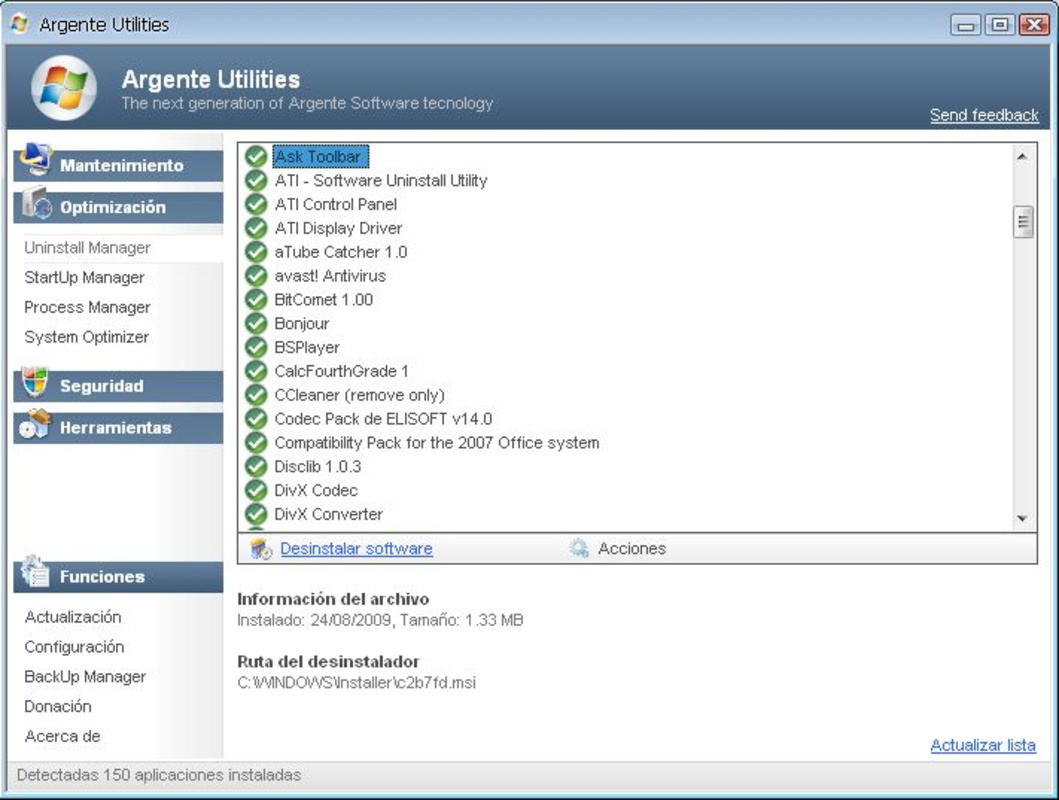
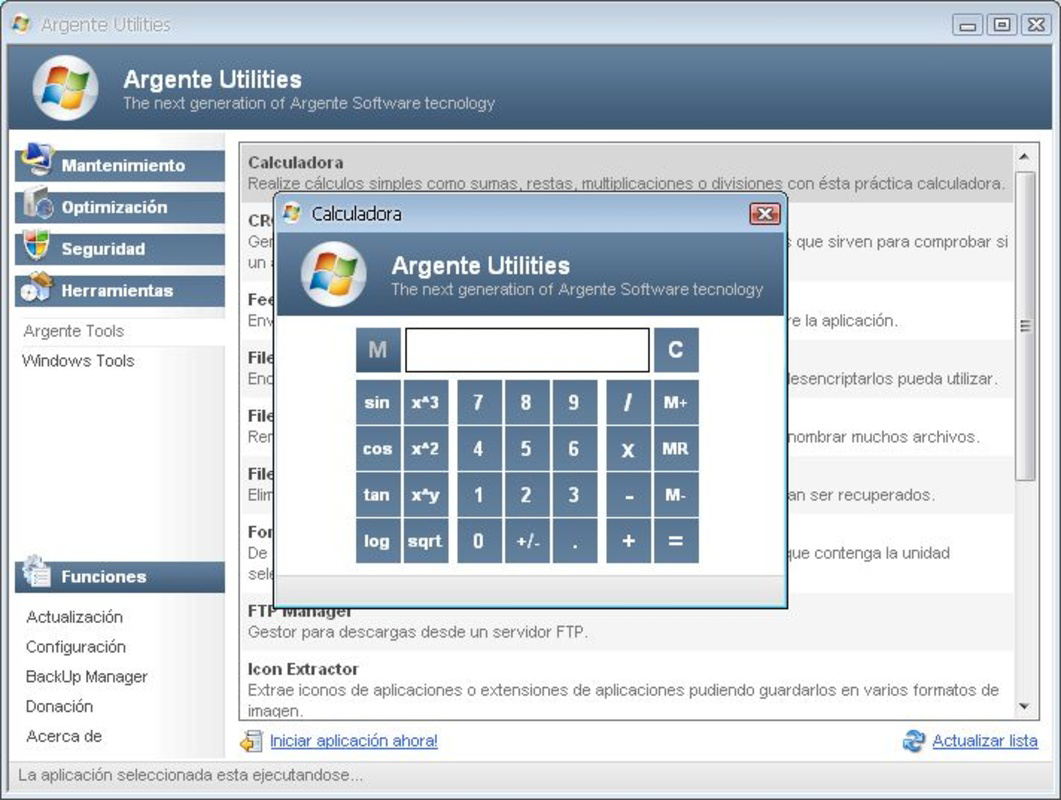
Argente Utilities presents a clean, minimalistic interface that organizes its tools into clearly labeled categories. Navigation is intuitive, with a sidebar menu that allows users to access each utility with a single click. The visual design prioritizes readability and functionality, using neutral colors and straightforward icons to guide users through each step. Menus are logically structured, and the workflow for each tool follows a consistent pattern—scan, review, and execute—reducing the learning curve for new users.
Performance is optimized for low resource consumption, ensuring that the application runs smoothly even on older or less powerful machines. Although the developer did not list formal performance metrics, the 12.3 MB file size suggests a lightweight footprint. The app responds quickly to user inputs, and tasks such as scanning and cleaning complete in a reasonable timeframe. Stability appears to be well-maintained, with no reported crashes or freezes in the available documentation. Responsiveness across different screen sizes and resolutions is consistent, though specific compatibility details were not disclosed. Overall, the user experience is efficient and focused on delivering results without unnecessary distractions.
Platform Compatibility & Technical Requirements
Argente Utilities is designed for the Windows platform and is compatible with current versions of the operating system. The application is available in version 2.2.1.0 and has a file size of 12.3 MB, indicating a compact and efficient installation. The software is free to use, with no in-app purchases or subscription fees. Specific requirements such as minimum OS version, processor type, or RAM specifications were not listed by the developer. As such, compatibility with older or newer Windows systems remains unspecified. Users are advised to ensure their system meets general Windows requirements for running third-party utilities. The developer did not provide additional technical details regarding installation or system integration.
Pros and Cons
Pros
- Comprehensive suite of system optimization tools in a single application
- Free to download and use, with no hidden costs or ads
- Intuitive interface suitable for both beginners and advanced users
- Lightweight design with minimal system resource usage
- Automated One Click Maintenance simplifies routine PC upkeep
Cons
- Developer did not provide detailed system requirements or compatibility information
- Specific performance benchmarks or usage statistics were not disclosed
- Limited public documentation on update frequency or long-term support
- Only available for Windows, with no information on other platforms
- Privacy and security measures during data handling were not explicitly detailed
FAQ
Is Argente Utilities safe to download and use?
Yes, the application is free and distributed by Argente Software. It does not contain malware or adware based on available information. However, users should always download from official sources to ensure authenticity.
Can I use Argente Utilities on older versions of Windows?
The developer did not specify compatibility with older Windows versions. While the app may function on legacy systems, this is not confirmed. Users are advised to test the software on their specific setup.
Does Argente Utilities require an internet connection?
Basic functionality does not require an internet connection. However, some features such as spyware detection may rely on online databases, so connectivity is recommended for optimal performance.
How often should I run the One Click Maintenance tool?
It is recommended to run the tool every few weeks or after installing new software to maintain system health. The frequency may vary depending on individual usage patterns.
Is there a mobile version of Argente Utilities?
No mobile version was mentioned in the available information. The app is exclusively designed for Windows desktop systems.
Final Thoughts
Argente Utilities stands out as a practical, no-cost solution for users seeking to maintain their Windows PCs efficiently. Its blend of system cleanup, privacy protection, and repair tools offers real value without the need for expensive software. The clean interface and automation features make it accessible to a wide audience, while its lightweight design ensures it won’t burden older hardware. Though some technical details remain undisclosed, the app’s core functionality is solid and purpose-built. For anyone looking to improve system performance, enhance security, and manage digital privacy, Argente Utilities delivers a compelling package. Download Argente Utilities now.
Guides & Tutorials
How to install Argente Utilities
- Click the Download button above.
- Once redirected, accept the terms and click Install.
- Wait for the Argente Utilities download to finish on your device.
How to use Argente Utilities
This software is primarily used for its core features described above. Open the app after installation to explore its capabilities.
User Reviews
No reviews yet. Be the first to share your experience.
You may also like
more
Que no te pillen¡
About !Que no te pillen¡Reviewed by Jason A. BilbreyShow MoreShow Less

3D Combat Zone
About 3D Combat ZoneOriginally released in 1983, 3D Combat Zone immerses players...

666: El día del portal
About 666: El día del portalOn June 6, 2006, Agent P. Stone uncovers a sinister...

80 in 1 Best Flash games
About 80 in 1 Best Flash games 80 in 1 Best Flash games is a collection of 80 fl...

ABYSS SEEKERーーWhat Do You See Deep in The Abyss
About ABYSS SEEKERーーWhat Do You See Deep in The AbyssIn ABYSS SEEKER, players...

ACA NEOGEO THE KING OF FIGHTERS 2002 for Windows
About ACA NEOGEO THE KING OF FIGHTERS 2002 for WindowsTHE KING OF FIGHTERS 2002,...